

You have five photos of rent receipts, and HR needs them submitted as a single PDF. You search "convert JPG to PDF online" and see iLovePDF, Adobe Acrobat Online, and Smallpdf. They are all great tools, but they all share one hidden requirement: you have to upload your photos to their servers to generate the PDF.
Does it matter? For a meme or a random screenshot, no. But for photos of your rent receipts containing your landlord's PAN, address, and signature? Or photos of your tax documents? It absolutely matters.
Here is an honest breakdown of the most popular JPG to PDF converters in 2026, comparing their features, limitations, and how they handle your privacy.
Quick Comparison
| Feature | iLovePDF | Adobe Acrobat Online | Smallpdf | Bramhify |
|---|---|---|---|---|
| Privacy | ❌ Uploads to server | ❌ Uploads to server | ❌ Uploads to server | ✅ Local processing |
| Combine Multiple Images | ✅ Yes | ✅ Yes (needs account) | ✅ Yes | ✅ Yes (unlimited) |
| Built-in Cropping | ❌ No | ❌ No | ❌ No | ✅ Yes (per image) |
| Layout Options | Margin size & orientation | Single image per page | Margin size | 1, 2, or 4 per page |
| Free Tier Limits | Daily task cap | Limited conversions | 2 tasks/day | Unlimited |
| Hindi Interface | ❌ No | ❌ No | ❌ No | ✅ Yes |
Where the Competitors Excel
These tools dominate the market because they solve real problems.
iLovePDF is incredibly straightforward. You upload images, drag them to reorder, choose portrait or landscape, and download the PDF. The interface is clean, and the conversion is fast. Their true strength is the ecosystem: after creating the PDF, you can immediately jump into another tool to compress it, add page numbers, or sign it.
Adobe Acrobat Online is the enterprise standard. If you want a PDF generated with the absolute guarantee of rendering perfectly in Adobe Reader on any device, using Adobe's own engine makes sense. It integrates smoothly into Document Cloud, which is perfect for corporate environments.
Smallpdf focuses purely on user experience. The drag-and-drop workflow is incredibly smooth. Their processing servers are fast, and the output quality is consistently excellent. If you just want the most polished tool on the web and do not mind the 2-task daily limit, Smallpdf is fantastic.
Where Bramhify Wins
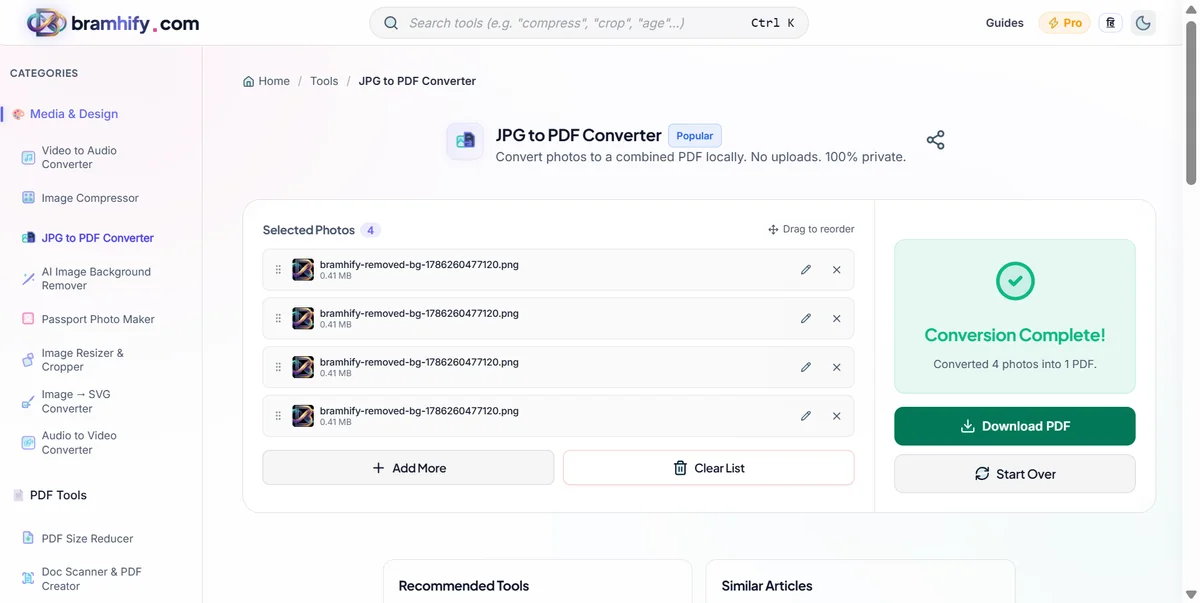
Bramhify's JPG to PDF converter was built with a different philosophy: your photos should never leave your device.
The entire conversion happens locally inside your browser using a JavaScript engine (pdf-lib). When you select 10 images, they are loaded into your browser's memory, placed onto PDF pages, and the final file is generated directly on your hard drive. There is zero server contact.
This architectural difference leads to three major advantages:
1. Complete Privacy: Your rent receipts, medical prescriptions, and ID photos never travel over the internet. You can even generate the PDF while disconnected from Wi-Fi.
2. Built-in Editing: Before generating the PDF, Bramhify lets you crop, rotate, and zoom each image individually. You do not need to pre-crop your photos in your phone's gallery app before importing them.
3. Advanced Layouts: HR often asks for multiple receipts on a single page to save space. Bramhify includes a layout selector that lets you place 1, 2, or 4 images per PDF page automatically.

The Privacy Reality Check
When you upload a photo to iLovePDF, Smallpdf, or Adobe, it travels to their cloud servers. They encrypt the transfer and automatically delete the files after a short period. This is standard, secure industry practice.
However, consider the Indian context. Millions of employees claim HRA (House Rent Allowance) every year. This requires submitting rent receipts containing sensitive data: the landlord's name, signature, PAN number, and residential address. Uploading these financial documents to a foreign cloud service creates an unnecessary data trail.
Bramhify eliminates this risk entirely. By leveraging modern browser APIs, the PDF is constructed locally. The safest way to handle sensitive documents is to ensure they never leave your device in the first place.
Honest Limitations: Where Bramhify Falls Short
Bramhify is not perfect for every use case. Here is where you should stick with the competitors:
- No OCR (Optical Character Recognition). If you are converting a photo of a document and want the resulting PDF to have selectable, searchable text, you need Adobe Acrobat or a premium iLovePDF account. Bramhify simply places the images into a PDF container; it does not read the text.
- No cloud imports. You cannot pull images directly from Google Drive or Dropbox. You must select files from your local device storage.
- No PDF editing. Bramhify creates the PDF, but it cannot edit existing ones. If you need to add a signature, watermark, or password protection to the final PDF, you will need a dedicated PDF editor.
Frequently Asked Questions (FAQs)
Does iLovePDF upload my images to their server?
Yes. iLovePDF requires your images to be uploaded to their cloud servers to generate the PDF. They use HTTPS encryption and state that files are automatically deleted after processing. However, if you are converting sensitive documents (like rent receipts or PAN cards) and want zero server contact, a local tool like Bramhify is safer.
Which JPG to PDF converter is truly free with no limits?
Bramhify's JPG to PDF converter is 100% free with no daily limits and no file size caps. Because it processes everything locally in your browser, there are no server costs to pass on to the user. iLovePDF and Smallpdf both impose daily task caps on their free tiers.
Can I put multiple photos on one PDF page?
Yes. Bramhify includes a layout selector that lets you place 1, 2, or 4 images per PDF page. This is especially useful for combining multiple small receipts into a single, printable A4 page. Most other free tools only support placing one image per page.
Can I crop photos while converting them to PDF?
Bramhify features a built-in image editor that allows you to crop, rotate, and zoom each photo individually before generating the PDF. With most competitors like iLovePDF or Smallpdf, you must pre-crop your photos in your phone's gallery app before uploading them.
Is it safe to convert rent receipts to PDF online?
It is safe if you use a tool that processes files locally. Rent receipts contain sensitive financial data (landlord PAN, signatures, amounts). Using a browser-based tool like Bramhify ensures the photos are converted to PDF directly on your device without ever being uploaded to the internet.
Final Verdict
Use iLovePDF if you need a fast, simple workflow and plan to immediately use other PDF tools (like merging or adding page numbers) right after conversion.
Use Adobe Acrobat Online if you require OCR to make the text in your photos searchable, or if you need enterprise-level compliance and cloud integration.
Use Smallpdf if user experience is your top priority and you only need to convert a few files per day.
Use Bramhify if you are converting sensitive personal or financial documents (like rent receipts or ID cards) and want the absolute guarantee that your files never leave your device. It is the only free tool that combines local privacy, built-in cropping, advanced layouts, and unlimited usage.
Related guides: How to Convert Rent Receipts Photos to Single PDF | How to Convert JPG to PDF Online Free & Safe