

You need to merge your salary slips for a loan application. Or perhaps you need to compress a scanned Aadhaar card to submit it on a government portal. Or maybe you need to convert a stack of scattered photos into a single, clean PDF for your international visa application.
For most people, the first instinct is to open Google, type in "free PDF tool" or "merge PDF online," and click on whatever website shows up at the top of the search results. That is exactly where things quietly go wrong, and where millions of people unintentionally compromise their most sensitive personal data.
In this comprehensive guide, we will explore the hidden dangers of popular cloud-based PDF processors, explain why you should never upload your personal IDs to a third-party server, and introduce you to a suite of 100% private, on-device PDF tools that get the job done faster and safer.
The Hidden Danger in Free Cloud PDF Sites
Popular PDF processing websites - such as Smallpdf, iLovePDF, Adobe Acrobat Online, and PDF24 - all work the same way. Your file travels from your device, across the internet, to their cloud server. The server processes the document and sends it back as a downloadable file.
This might seem fine for public brochures. But think about what you are processing: - Aadhaar cards and PAN cards - Bank statements and salary slips - Property documents and rental agreements - Highly confidential medical reports
You would never hand a physical copy of your Aadhaar card to a stranger. Yet, uploading to a free cloud site does exactly that - handing them over to a foreign server you know nothing about.
The Real Risks of Cloud Processing:
- Catastrophic Data Breaches: Even if the website claims they "delete" your files after one hour, a security breach during that window exposes your documents permanently. Hackers actively target these sites because they are goldmines of identity documents.
- Identity Theft: Once your PAN card or bank statement is leaked, scammers can use it to open fake accounts or apply for fraudulent loans.
- NDA Violations: Uploading client documents often violates corporate confidentiality agreements.
- Subscription Paywalls: After 2 free conversions, they hit you with a ₹500 to ₹1000 per month paywall just to download your own file.
The Better Way: Your Device Does the Work
Modern smartphones and laptop web browsers are incredibly powerful. They have enough processing power to handle complex PDF operations entirely on-device. There is absolutely no technical reason to upload a PDF to a cloud server in 2026.
Bramhify's tools run entirely inside your browser, using your phone's own processor. The file never leaves your local storage, ensuring 100% privacy.
Here are the Bramhify PDF tools that work this way:
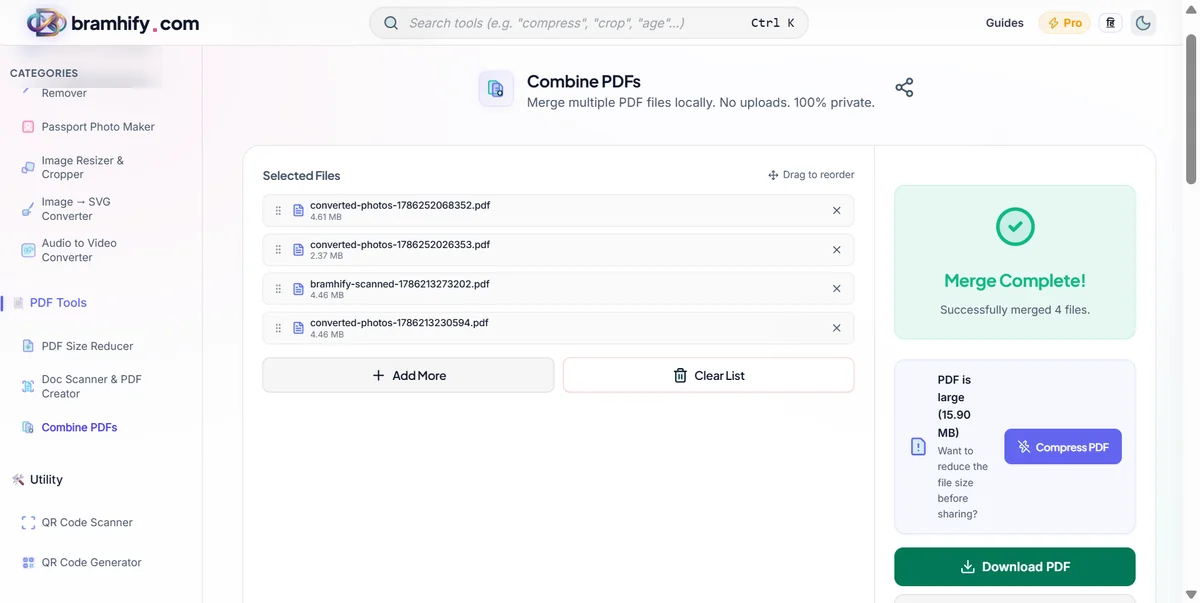
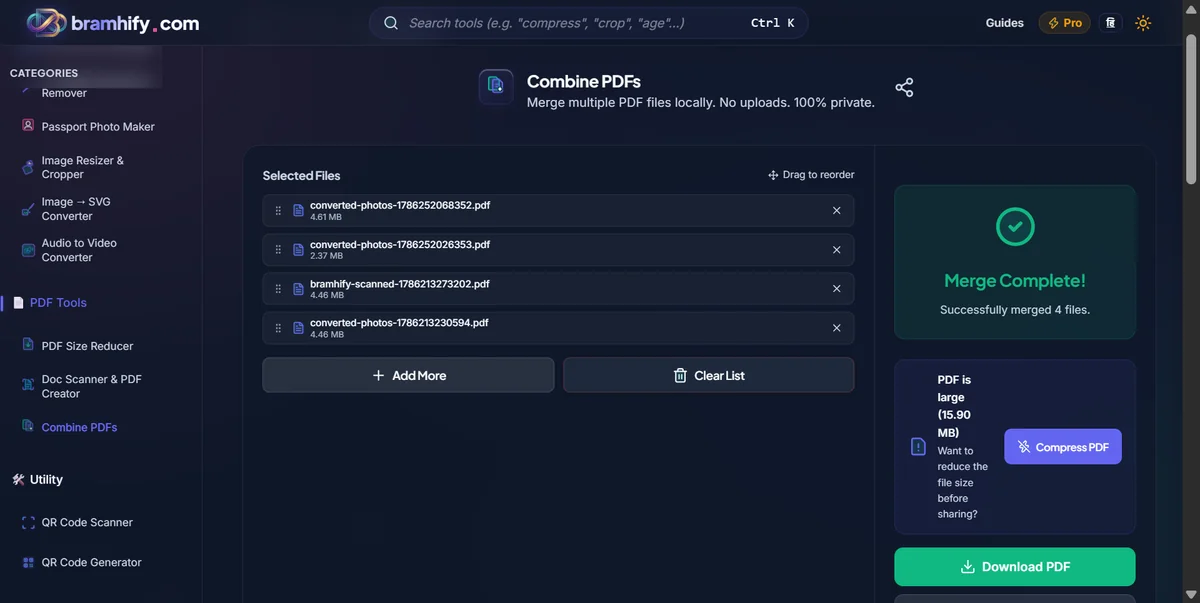

The Bramhify PDF Suite
1. PDF Merger - Combine Multiple Documents
When government portals ask for a single combined PDF of your documents, the PDF Merger is your tool. Simply drag and drop your files, arrange them in order (e.g., Aadhaar first, then PAN), and tap Merge. The combined file downloads instantly.
2. PDF Size Reducer - Get Under the Limit
Portals like Passport Seva and UPSC have strict file size limits - usually 500KB or 1MB. The PDF Reducer compresses the embedded images mathematically without making the text blurry. Most standard scanned Aadhaar cards go from a bloated 2-3MB down to a perfectly crisp 200KB.
See also: How to compress Aadhaar card photo under 50KB
3. JPG to PDF Converter - Turn Photos into Documents
The JPG to PDF tool lets you select photos from your gallery, arrange them in order, and generate a clean, multi-page PDF document - all without uploading a single byte.
See also: How to convert JPG to PDF for free
Step-by-Step: Merging PDFs Privately
If you are ready to combine your files securely, here is exactly how to do it:
Step 1: Open the PDF Merger
Tap the interactive tool card above. The tool opens directly and instantly in your browser. There is no heavy app to install from the Play Store, and no account or email registration required.
Step 2: Add Your Files
Tap the large upload area in the center of the screen. Select your PDFs from your phone's native file manager one by one. If you are on a desktop computer, you can simply drag them all into the window at once. You will see clear thumbnail previews of each file appear in a row.
Step 3: Arrange the Exact Order
Tap and drag the thumbnails to reorder them seamlessly. Put the most important document first (usually your primary ID), followed by your supporting documents in logical order. The final PDF will follow exactly this sequence.
Step 4: Tap Merge and Download
Tap the bright "Merge PDFs" button. Because your device is doing the math locally, in just a few seconds, the combined file is ready. Tap Download to save it directly to your phone's storage. That is it - a single clean PDF, ready to submit, created entirely on your device with zero privacy risks.
A Note on Free vs. Paid Tools
Every tool in the Bramhify suite is 100% free. There are no daily usage limits, no annoying watermarks slapped on your documents, and no accounts needed. Because your device's processor does all the heavy lifting instead of a massive AWS cloud server, there are no expensive infrastructure costs that we need to pass on to you.
The only minor tradeoff: processing exceptionally large files (like a 200-page textbook or a 50MB+ uncompressed scan) may be slightly slower on older mobile phones since your device's CPU is doing the work. However, for most day-to-day document tasks - like merging a 3-page bank statement with your Aadhaar card - it is nearly instantaneous and infinitely more secure.