

Your Aadhaar card PDF is 3.2 MB. The government portal rejects anything over 500 KB. You search "compress PDF online," and the first three results are iLovePDF, Smallpdf, and Adobe Acrobat Online. All popular, all professional. All of them require you to upload your identity document to their cloud servers.
For a meeting agenda or a company brochure, that is perfectly fine. For a PDF containing your Aadhaar number, PAN details, or medical records? That is worth a second thought.
Here is an honest comparison of the most popular PDF compressors in 2026, covering where each excels and where each falls short.
Quick Comparison
| Feature | iLovePDF | Smallpdf | Adobe Acrobat Online | Bramhify |
|---|---|---|---|---|
| Privacy | ❌ Uploads to server | ❌ Uploads to server | ❌ Uploads to server | ✅ Local processing |
| Free Tier Limits | 1-2 tasks/day | 2 tasks/day | Limited | Unlimited |
| Compression Method | Lossy (image downscaling) | Lossy + lossless options | Multiple quality levels | Lossless (object pruning) |
| Other PDF Tools | ✅ Full suite (merge, split, OCR, sign) | ✅ Full suite | ✅ Full suite | ❌ Focused tool |
| Cloud Storage Import | ✅ Google Drive, Dropbox | ✅ Google Drive, Dropbox | ✅ Adobe Cloud | ❌ Device only |
| Offline / PWA | ❌ No | ❌ No | ❌ No | ✅ Yes |
| Hindi Interface | ❌ No | ❌ No | ❌ No | ✅ Yes |
Where the Competitors Excel
Credit where it is due. These tools are dominant for real reasons.
iLovePDF is the Swiss Army knife of PDF tools. Beyond compression, it handles merging, splitting, OCR, e-signatures, watermarking, and format conversions — all in one interface. If you work with PDFs daily and need multiple operations in sequence (compress → merge → sign), iLovePDF's unified workflow saves real time. Their Google Drive and Dropbox integration also lets you pull files without downloading them first.
Smallpdf is the most polished PDF tool on the market. Its drag-and-drop interface is beautifully designed, and operations complete quickly. For non-technical users who just want a clean, no-confusion experience, Smallpdf's UX is genuinely best-in-class.
Adobe Acrobat Online carries the trust of Adobe's decades-long PDF stewardship. Their compression uses multiple quality tiers, and if you are already in the Adobe ecosystem (Creative Cloud, Document Cloud), the integration is seamless. For enterprise users, the Adobe brand provides compliance confidence that startups cannot easily match.
Where Bramhify Wins
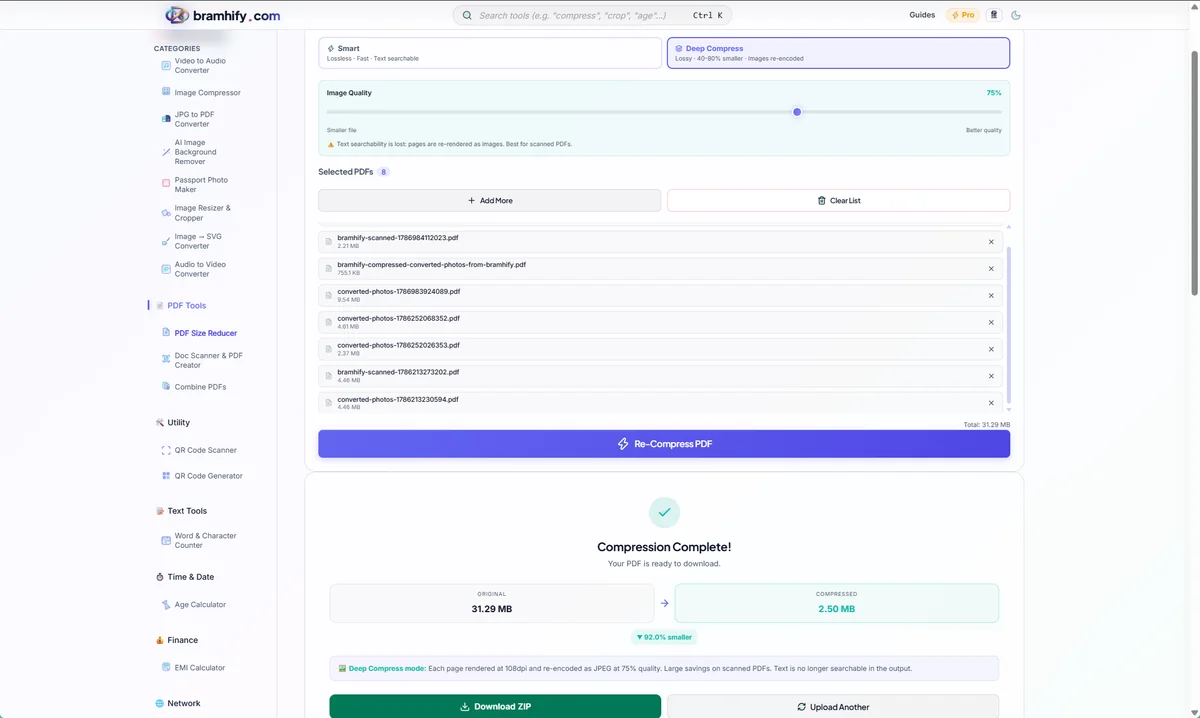
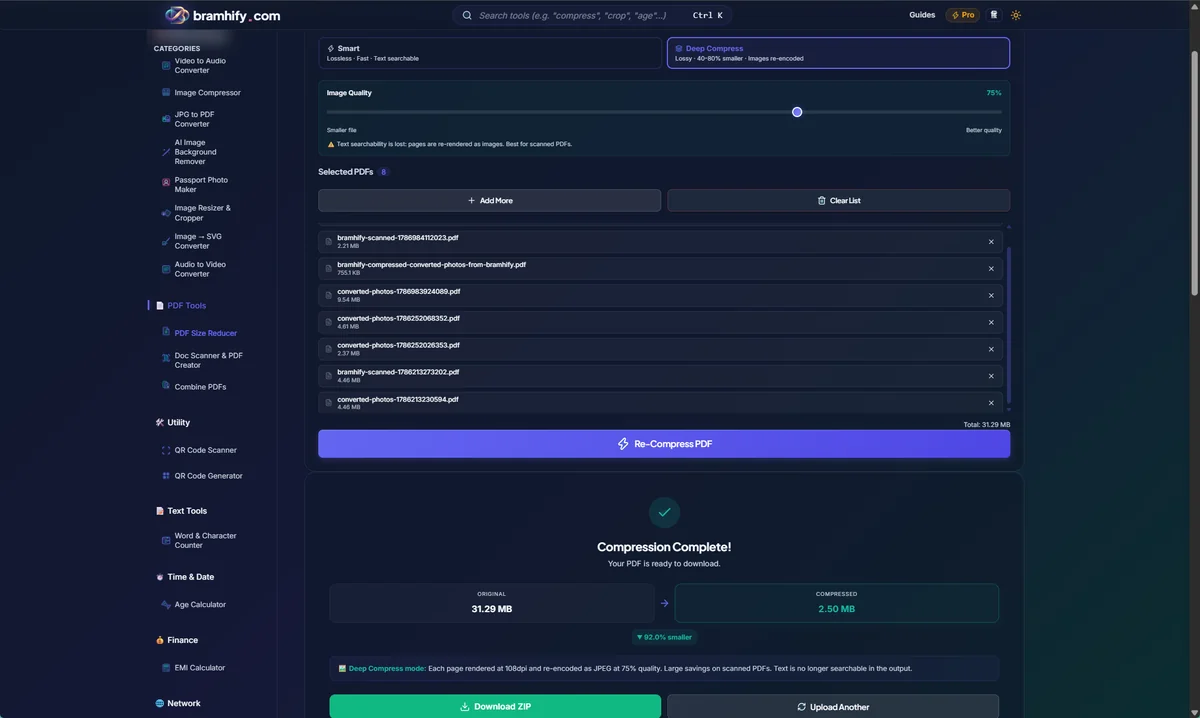
Bramhify's PDF Reducer works fundamentally differently. Instead of uploading your PDF to a server for recompression, it processes the file entirely inside your browser using pdf-lib (a JavaScript library). The tool strips redundant objects, removes duplicate data streams, and re-serializes the PDF structure — all without the file ever leaving your device.
This lossless approach means text clarity is fully preserved. There is no image downscaling, no resolution reduction, and no visual degradation. What you get back is structurally identical to the original, just smaller.
The practical advantage beyond privacy: no daily task limits. iLovePDF caps free users at roughly 1-2 tasks per day. Smallpdf allows about 2 tasks per day. Bramhify has no cap because there is no server cost to subsidize. You can compress 20 PDFs in a row without hitting a paywall or creating an account.

The Privacy Reality Check
When you upload a PDF to iLovePDF or Smallpdf, the file travels to their servers over an encrypted HTTPS connection. Both companies are GDPR-compliant and typically delete files within 1-5 hours after processing. For general documents, this workflow is safe and standard.
But consider what Indian users routinely compress. Aadhaar PDFs contain a 12-digit identity number linked to biometric data. PAN card PDFs contain your permanent tax identifier. Marksheet PDFs contain your academic records and date of birth. These documents are frequently compressed to meet the 500 KB file size limits imposed by UPSC, SSC, bank account opening portals, and government job application forms.
When a fully local alternative exists, uploading identity documents to a foreign cloud service introduces a risk that is simply unnecessary. Bramhify processes the PDF using your browser's built-in JavaScript engine. You can verify this by disconnecting your internet after loading the page — the compression still works.
Honest Limitations: Where Bramhify Falls Short
Being transparent about what Bramhify cannot do:
- Lossless only — no aggressive image downscaling. iLovePDF and Smallpdf can aggressively reduce image resolution inside PDFs (converting 300 DPI scans to 72 DPI). This produces much smaller files when the PDF is image-heavy. Bramhify's lossless approach preserves full image quality but may achieve smaller reduction ratios on scan-heavy PDFs.
- No OCR, splitting, merging, or e-signatures. Bramhify is a focused compression tool, not a PDF suite. If you need to split a PDF, add a signature, or extract text from scans, the competitors are better equipped.
- No cloud storage integration. You cannot import directly from Google Drive or Dropbox. Files must be selected from your device.
- Heavily encrypted PDFs may fail. Some PDFs with strong encryption or DRM restrictions cannot be re-serialized by pdf-lib and will fail to compress.
Frequently Asked Questions (FAQs)
Does iLovePDF store my uploaded files?
iLovePDF states in their privacy policy that uploaded files are automatically deleted from their servers within a few hours after processing. Files are encrypted during transfer and at rest. For non-sensitive documents, this is a safe and standard practice. However, during processing, your file does temporarily exist on their infrastructure.
Is there a free PDF compressor without daily limits?
Among the tools compared here, only Bramhify has no daily task limits. iLovePDF caps free users at approximately 1-2 tasks per day, and Smallpdf allows about 2 free tasks per day. Because Bramhify processes files locally, there are no server costs, which means no artificial usage caps.
Can I compress a PDF offline without installing software?
Yes. If you add Bramhify to your home screen as a PWA (Progressive Web App), it works offline for subsequent visits. iLovePDF, Smallpdf, and Adobe Acrobat Online all require an active internet connection because they process files on their cloud servers.
Which PDF compressor is best for Aadhaar and PAN card PDFs?
For identity documents like Aadhaar and PAN cards, a local-processing tool like Bramhify is the safest choice because the file never leaves your device. The lossless compression preserves text readability, which is critical for government portal submissions that reject blurry documents.
What is the difference between lossy and lossless PDF compression?
Lossy compression (used by iLovePDF and Smallpdf) reduces file size by downscaling images inside the PDF — making them lower resolution. This achieves larger size reductions but can blur text and images. Lossless compression (used by Bramhify) strips redundant metadata, duplicate data streams, and unused objects without altering the visual content. The result is a smaller file with zero quality loss.
Final Verdict
Use iLovePDF if you need an all-in-one PDF suite that handles compression, merging, splitting, OCR, and e-signatures in a single workflow. Its breadth of features is unmatched.
Use Smallpdf if you value the cleanest, most intuitive user experience and do not mind the 2-task daily cap on the free tier.
Use Adobe Acrobat Online if you are already in the Adobe ecosystem and need enterprise-grade compliance assurance.
Use Bramhify if your priority is privacy, unlimited free compression, and the certainty that your identity documents (Aadhaar, PAN, marksheets) never leave your device. It is the only tool in this comparison that processes PDFs entirely in your browser with zero server contact.
Related guides: How to Compress PDF Below 500KB | How to Reduce PDF File Size Without Losing Quality