

Running a small shop, food stall, or freelance business in India means you absolutely need to accept UPI payments. Cash is no longer king. While banks and payment apps (like GPay, PhonePe, Paytm, or BharatPe) will gladly send you a printed QR stand, tying yourself exclusively to one provider's app can be frustrating. What happens when their specific servers go down? Or when their business dashboard is too complicated to use and locks you out?
What many business owners don't realize is that you can generate your very own, universal UPI QR code using just your UPI ID (VPA). You don't need permission from a bank. You can generate it, customize it, print it yourself, stick it on your counter, or add it to your digital invoices and wedding cards for instant shagun transfers.
The Hidden Trap of "Dynamic" QR Codes
When you search for a "QR Code Generator" online, you will likely stumble upon websites offering fancy QR codes. However, there is a massive hidden trap: many of these platforms generate Dynamic QR Codes by default.
A dynamic QR code does not contain your actual UPI ID. Instead, it contains a short link (like qr-site.com/xyz), which then redirects the customer's phone to your payment details. This creates three critical problems for a small business owner:
- The 30-Day Expiry Trap: These websites often shut off your QR code after a free 14-day or 30-day trial. If a customer scans an expired code at your shop, the payment will fail, and the app will ask you to pay a high monthly subscription fee to reactivate it.
- Privacy Risks: The QR provider acts as a middleman. They track exactly who is scanning your code, when they are scanning it, and what device they are using.
- Slow Payments: Because dynamic codes rely on an internet redirect, they scan slower. In a busy shop, those extra 3 seconds of loading time cause frustrating queues.
Why You Should Generate Your Own Static UPI QR
To protect your business and ensure fast payments, you need a Static QR Code. A static QR code bakes your raw payment data directly into the black and white squares.
Bramhify's QR Code Generator creates 100% Static QR Codes. This means your QR code will never expire, it has absolutely no scan limits, and it processes locally on your device. There is no middleman tracking your customers. It is yours forever.
Try the Universal QR Code Generator:
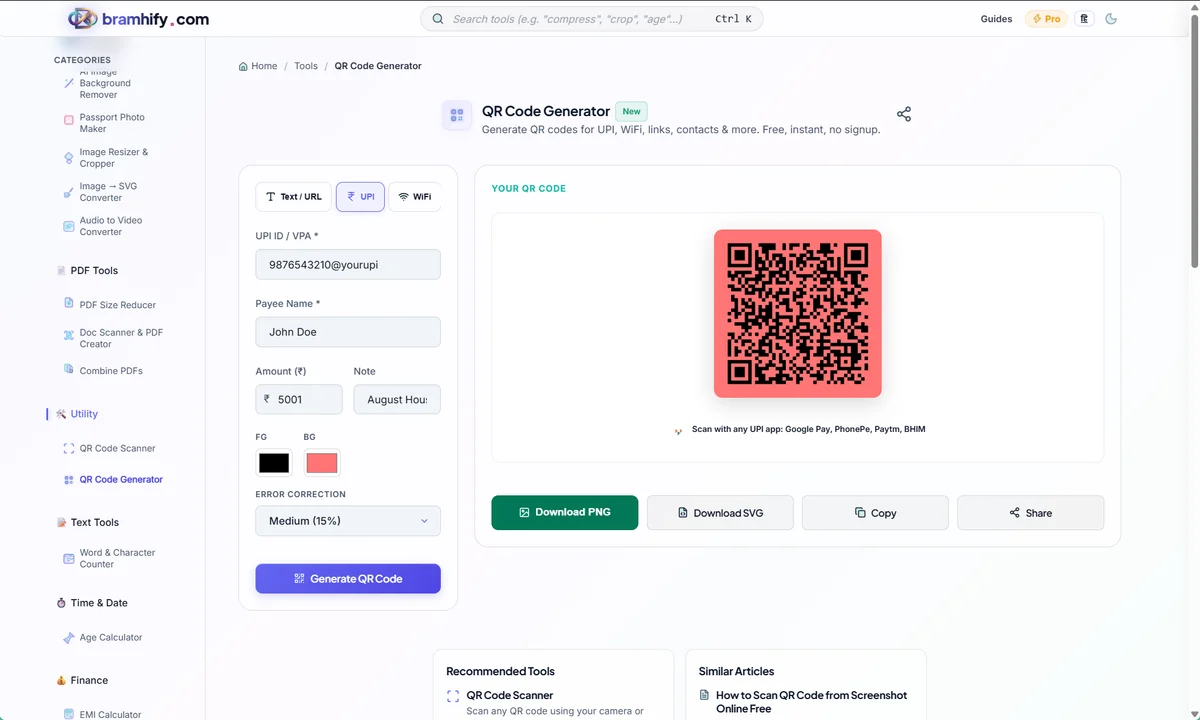
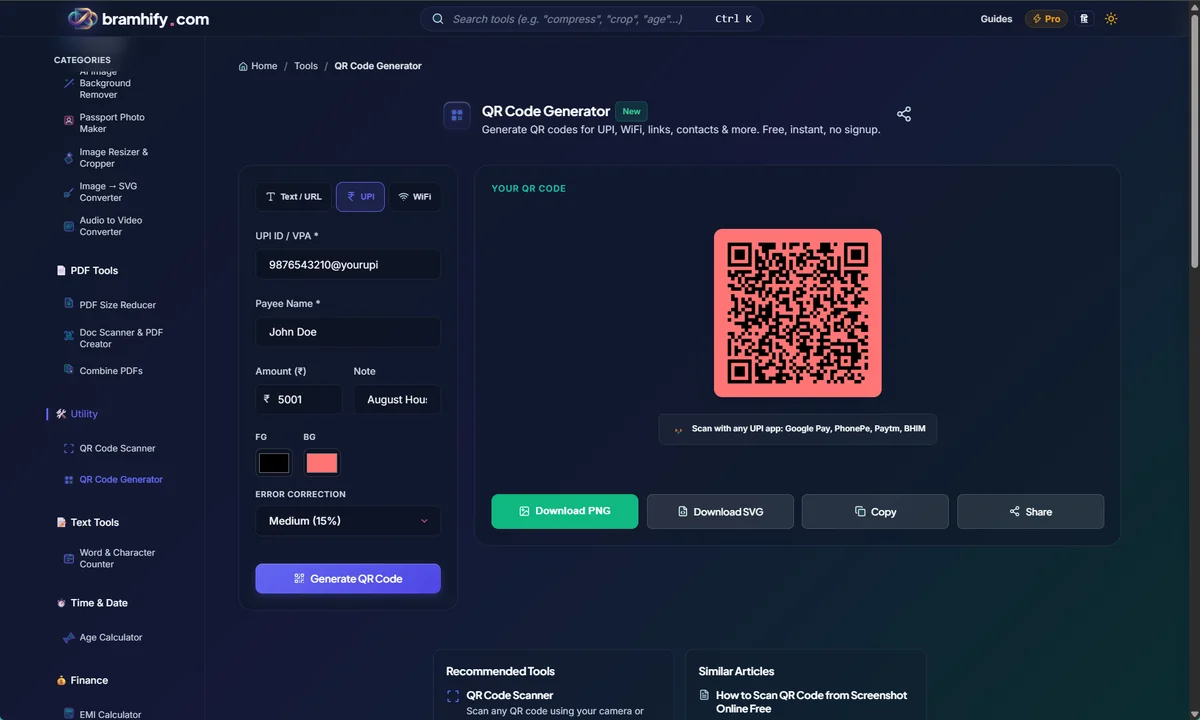

Step-by-Step Guide to Creating Your UPI QR
Generating your code takes less than ten seconds. You don't need any technical skills to do this.
Step 1: Select the UPI Payment Mode
Open the Bramhify QR Code Generator tool using the link above. At the top of the tool, you will see a menu of data types. Tap the UPI Payment option. (You can also use this tool for WiFi passwords, standard web links, or vCard contacts).
Step 2: Enter Your VPA (UPI ID)
In the first text box, enter your exact UPI ID (also known as a VPA). This usually looks like yourname@sbi, 9876543210@paytm, or yourshop@okicici. Make sure to double-check spelling! One wrong letter means the money will bounce or go to the wrong person.
Step 3: Customize the Color (Optional)
Unlike standard boring black-and-white squares, our tool allows you to customize the foreground and background colors of your QR code to match your brand. Tap the color pickers to make your QR code dark blue, deep green, or any color that fits your shop's aesthetic. Ensure there is high contrast (dark foreground, light background) so phone cameras can easily read it.
Step 4: Add a Default Amount (Optional)
If you are generating a QR code for a fixed-price item (like a ₹50 entry ticket or a specific digital product), you can enter the exact amount in the "Default Amount" box. When a customer scans the code, their payment app will automatically lock in ₹50, and they only have to enter their PIN.
Step 5: Download and Print
As you type, the QR code on the screen will instantly render in real-time. Once you are satisfied, tap the Download PNG or Download SVG button.
- Choose PNG if you want a standard image to send via WhatsApp or put on a flyer.
- Choose SVG if you are giving the file to a professional printer for a large banner, as SVGs never blur or lose quality when scaled up.
Frequently Asked Questions
Can I put my logo in the center of the QR code?
Currently, our tool generates pure, highly scannable QR codes without central logo embedding to guarantee 100% scanning accuracy across all cheap smartphones and older payment apps.
Does this QR code support all payment apps?
Yes! Because it generates a raw upi://pay protocol link, it is universally recognized by the NPCI ecosystem. It will work flawlessly across Google Pay, PhonePe, Paytm, BHIM, Amazon Pay, and all Indian banking apps.
Can I generate a QR code for my home WiFi?
Absolutely. Just switch the data type to "WiFi" at the top of the tool, enter your network name (SSID) and password, and generate. Your guests can then scan the code with their iPhone or Android camera to instantly connect to your internet without you needing to shout the password across the room.
Why do some online QR generators charge a monthly fee?
Many online platforms generate dynamic QR codes, which route customers through their servers first. This allows them to track scans and artificially expire the code after 30 days unless you pay a subscription fee. Bramhify generates static QR codes that work locally, meaning they never expire and are 100% free forever.
Can I use this to generate a QR code for my WhatsApp number?
Yes! If you want customers to be able to scan a code and instantly open a chat with your business number without saving it to their contacts, you can use our dedicated WhatsApp QR Code Generator.
Now, you can print this high-quality QR code on a piece of paper, laminate it, and place it directly on your shop counter! If you need to compress a promotional flyer image before sharing it on your WhatsApp Status alongside your new QR code, try our guide on how to compress images without losing quality.